


Figma Professional Lifetime subscription
Figma for design + prototyping
- Unlimited Figma files
- Unlimited version history
- Sharing permissions
- Shared and private projects
- Team libraries
- Audio conversations
FigJam Professional
FigJam for whiteboarding
- Unlimited FigJam files
- Open sessions
- Sharing permissions
- Team libraries
- Audio conversations
- Voting
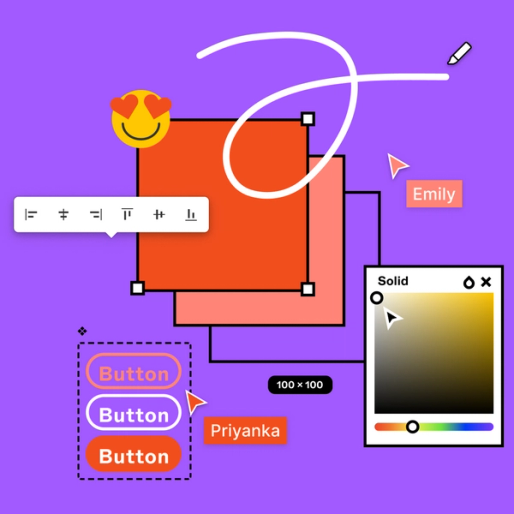
Figma Professional Lifetime subscription
FIGMA PROFESSIONAL FEATURES
Design and prototyping
- Unlimited History Version: Figma auto-saves and creates versions of your file every 30 minutes. You can name a version at any time and link to past versions.
- Figma Editor: All the design features you’re familiar with—canvas, layers, grids, vectors, shapes, text, constraints, and more.
- Advanced drawing tools: Figma invents features purpose-built for web/UI designers, like Smart Selection, Vector Networks, and Arc Tool.
- Auto layout: Create interface designs that resize automatically with their content.
- Styles: Define color, text and any effects to be reused across objects.
- Plugins and widgets: Use plugins and widgets built by the Figma community to improve your workflow.
- Unlimited file storage: Unlimited cloud storage; access files from anywhere.
- Cross-platform: Figma works on Mac, PC, and Linux devices.
- Sketch import: Create a new Figma file from your Sketch import.
-
Interactive prototypes: Create prototypes with interactive overlays that simulate how a user may interact with your design.
- Overlays: Easily prototype an interaction where an element appears above another.
- Transitions: Choose from a variety of transition animation options.
- Advanced animations: Use Smart Animate or create your own animations with springs, slides, dissolves, and more.
- Developer handoff: Developers can inspect design files, grab code snippets, and see annotations.
- PDF, PNG, JPG, SVG export: Export Figma files and assets into other preferred formats.
Collaboration
- Multiplayer: Figma enables multiple editors to jump into the same file, live edit, and work together.
- Unlimited viewers: Invite as many people as you want to view, comment, inspect, or export from your Figma files–for free!
- Shareable links: Send a link to a Figma file or prototype—and control who get access to view or edit.
- On-canvas commenting: Collaborators can comment directly on a prototype or file, so you know exactly what they’re referencing.
- Observation mode: Click on a specific user to see what they see on their screen—great for user testing and design critiques.
- Private projects: Create invite-only spaces for your team to work privately.
- Prototype sharing permissions: Share prototypes with clients and stakeholders without sharing the underlying design file.
- Audio conversations: Use audio to talk with your collaborators directly in a Figma or FigJam file.
- Unlimited teams: Create and manage multiple teams within your organization to help groups find and focus on relevant work.
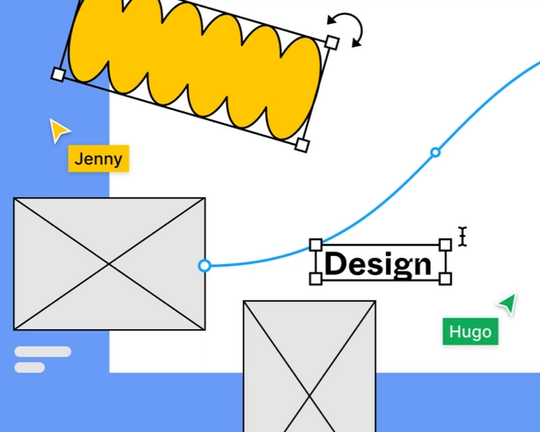
Figma Pro Lifetime plan
Design Systems
- Components: Create a component out of any collection of objects or layers and use it as a reusable design.
- Team libraries: Create design systems with shared UI components for your team to use.
Developer Platform
- REST APIs: Tap into our REST APIs to bring Figma into your external tools and products.
- Third-party integrations: Figma integrates with tools like JIRA, Zeplin, Dropbox, Slack, so you can customize your workflow.
- Live embeds: Embed live Figma designs and prototypes wherever you need them.
Admin & security
- Password protection: Set a password on files and Open Sessions to share work publicly with more control.
Support
- Figma Support Forum: Ask questions, share feedback, and connect with the Figma community.
- Figma Help Center: Find answers to common questions quickly by browsing our collection of helpful articles and videos.
FIGJAM PROFESSIONAL FEATURES
FigJam features
- Code blocks: Bring code directly into your whiteboard with syntax and highlighting.
- Templates: Get started with a wide selection of templates.
- Exports: Export your whiteboard data as PNG, JPG, PDF, or CSV (sticky notes only for CSV).
- Timer: Set a shared timer in FigJam to stay on schedule.
- Widgets and plugins: Build your own widgets and plugins to bring in new functionality to FigJam—or use plugins and widgets from the Community.
- Engagement features: Use stamps, stickers, and emotes to keep participants engaged.
- Cursor chat: Cursor chat gives you a quick way to share thoughts when jamming live.
- Audio conversations: Use audio to talk with your collaborators directly in a Figma or FigJam file.
- Open sessions: Invite anyone to join your jam for 24 hours—no login needed. Unlimited sessions.
- Ready-made templates: Kickoff conversations with hundreds of pre-made templates.
- Diagramming tools: Quickly map out systems and processes with shapes and connectors.
- Voting: Pinpoint the ideas people like most to speed up decision making.
- Music player: Set the mood for a meeting with built-in music tracks.
- Tables: Create a table to visually organize text into an easy-to-read format.
- Asana & Jira widgets: Keep tasks and projects in sync across FigJam, Asana, and Jira.
Admin & security
- Password protection: Set a password on files and Open Sessions to share work publicly with more control.
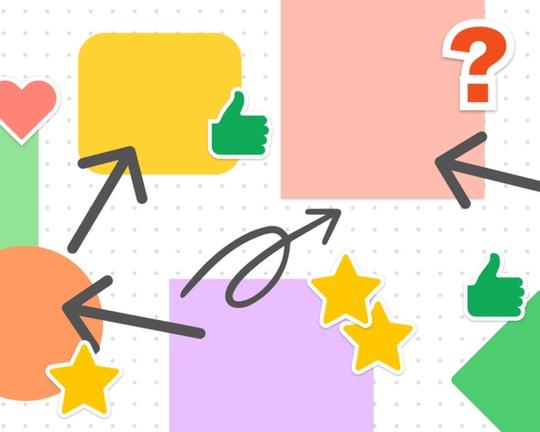
FigJam Professional Lifetime plan


![CANVA PRO CHINESE VERSION LIFETIME SUBSCRIPTION [Canva可画高级版终身订阅]](https://omi.one/wp-content/uploads/2022/07/Canva-Pro-Chinese-Version-Lifetime-Subscription-300x300.png)
Tyler (verified owner) –
Very fast delivery.
Ryker (verified owner) –
Good quality.
Mason (verified owner) –
Good service.
Kai (verified owner) –
Very fast delivery.
Henry (verified owner) –
The product is firmly packed.
Matthew (verified owner) –
Good quality.
Kayden (verified owner) –
Very well worth the money.
Liam (verified owner) –
Very well worth the money.
Bryan (verified owner) –
Very well worth the money.
Leo (verified owner) –
Good service.
Hayden (verified owner) –
Good quality.